Chicken Road 2 Game – How to Play, Features & Game Guide

Chicken Road 2 is a road-crossing casino game where players control a funny chicken and try to move forward across multiple road lines without getting hit by a vehicle. The game is available through the casino section shown in the screenshots and includes different difficulty levels, bet options, cash-out features, bet history, and Provably Fair settings.
If you are looking for more online gaming options, you can also explore Goplay11 for other available games and categories.
What is Chicken Road 2?
Chicken Road 2 is a simple multiplier-based game with a chicken character, road lanes and moving obstacles. The main objective is to move the chicken forward through the road while avoiding cars.
The game provides four difficulty levels:
- Easy – 30 road lines
- Medium – 25 road lines
- Hard – 22 road lines
- Hardcore – 18 road lines
The number of road lines and the chance of being hit by a car changes according to the selected difficulty.
How to Play Chicken Road 2
The game interface shown in the screenshots is designed to keep the controls simple.
Step 1: Select Your Bet
First, choose the amount you want to stake. The game interface provides different preset amounts, while the bet controls can also be adjusted manually.
Step 2: Choose the Difficulty
Select one of the available difficulty levels:
| Difficulty | Road Lines |
|---|---|
| Easy | 30 |
| Medium | 25 |
| Hard | 22 |
| Hardcore | 18 |
Higher difficulty changes the number of road lines and the risk of being hit by a car.
Step 3: Start the Game
After selecting the bet and difficulty, press the Play button. The chicken then starts moving through the road.
Step 4: Move Forward Carefully
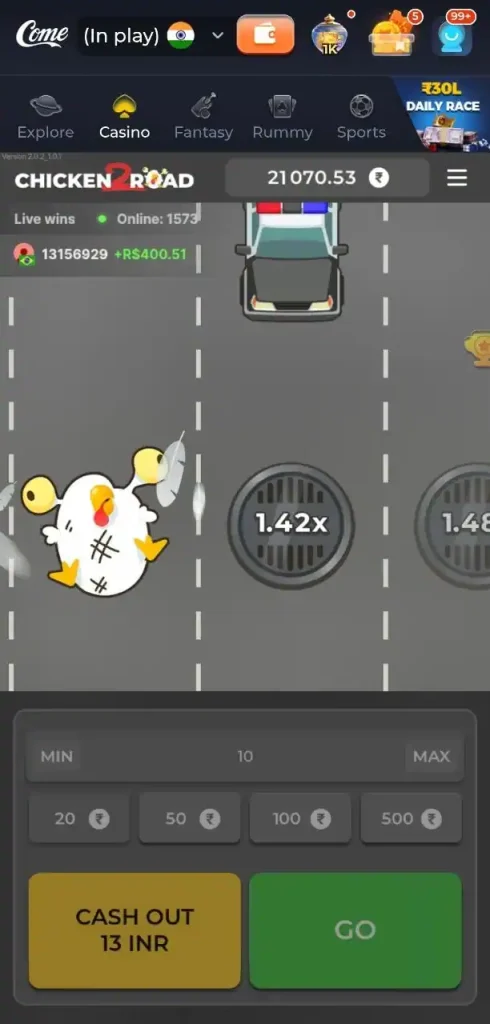
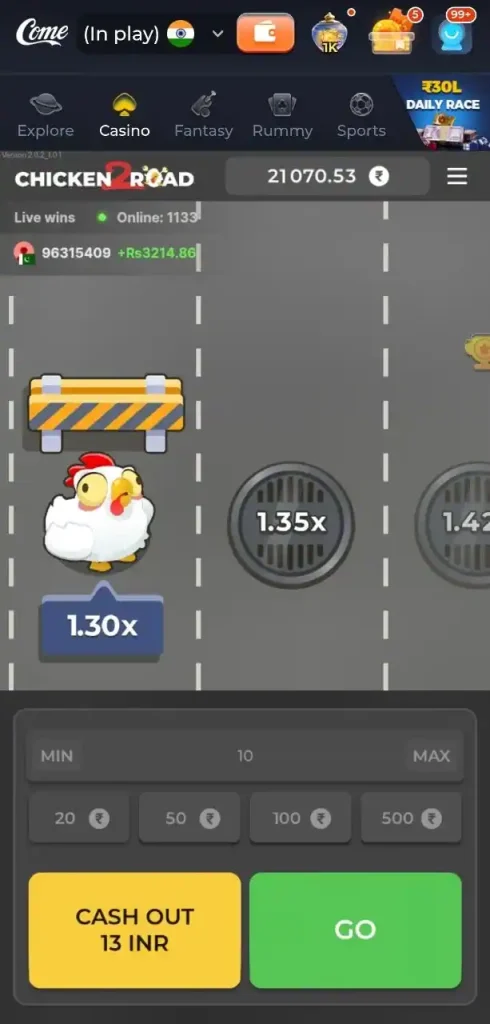
The aim is to cross as many road lines as possible without getting hit. The screenshots show the chicken moving between road lanes while vehicles and other obstacles appear on the road.
Step 5: Cash Out
Players can withdraw their current game amount at different stages of the game. The displayed multiplier changes as the chicken progresses.
There is no guaranteed outcome, so players should understand the risk before placing a bet.
Chicken Road 2 Game Features
Multiple Difficulty Levels
Chicken Road 2 offers four difficulty settings, allowing players to select different road layouts and risk levels.
Cash Out Feature
The Cash Out button is visible at the bottom of the game interface. Players can use it to take the current available amount before continuing further.
Bet History
The My Bet History section shows previous game activity. The screenshots show information such as:
- Date and time
- Bet amount
- Multiplier
- Win result
- Fairness verification indicator
This makes it easier to review previous game rounds.
Game Rules
The game rules section displays the minimum and maximum betting limits along with the maximum win limit.
The screenshots show:
| Limit | Amount |
|---|---|
| Minimum Bet | ₹3 |
| Maximum Bet | ₹20,000 |
| Maximum Win | ₹1,000,000 |
These displayed limits may depend on the game configuration or platform and should be checked before playing.
Provably Fair Settings
Chicken Road 2 also provides a Provably Fair section.
According to the game interface, the result is determined using a combination of server and client seed information. The interface displays the current client seed and the server seed SHA256 value.
Players can use the available fairness information to check the result of previous bets.
The screenshots also show an option for checking the fairness of each bet from the bet history.
Chicken Road 2 Game Menu
The game menu provides several useful options. The screenshots show options such as:
- Sound
- Music
- Animation
- My Bet History
- Game Rules
- Game Limits
- How To Play
- Provably Fair Settings
Players can access these options from the menu button available in the game interface.
Space to Spin & Go
The game instructions also mention an option called Space. When enabled from the game menu, players can use the Space key to move forward during gameplay.
This option can be useful for players using the game on a desktop or laptop.
Chicken Road 2 Controls
The basic controls are straightforward:
- Select the betting amount.
- Choose a difficulty level.
- Press Play.
- Move the chicken forward.
- Avoid getting hit by cars.
- Check the current multiplier.
- Cash out when you decide to stop.
The final result depends on the game outcome, so moving further does not guarantee a higher return.
Chicken Road 2 on Goplay11
Players interested in exploring casino and other online game categories can check Goplay11 for available gaming options.
The platform can provide access to different categories depending on its current game collection. Before using any real-money gaming service, check the applicable terms, age requirements, deposit rules and local laws.
Final Words
Chicken Road 2 combines a simple road-crossing concept with multiplier-based gameplay. Its main features include four difficulty levels, adjustable bets, a cash-out option, bet history, game rules, game limits and Provably Fair settings.
The game is easy to understand, but the outcome is based on chance and there is a possibility of losing the amount placed as a bet. Always play responsibly and only use an amount you can afford to lose.